
App Guide
Connect your Magic Light Kit to your phone and unlock even more ways to control your tree.
The included remote covers the everyday controls. A compatible smartphone app adds a full color picker, custom scenes, music-reactive modes and scheduling, all over Bluetooth with no account to create.
Colors
Choose and customize colors.
Scenes
Explore dynamic lighting effects.
Music
Let the lights respond to nearby music.
Brightness
Adjust the overall light level.
Timer
Schedule supported on and off behavior.
Countdown
Automatically turn the lights off after a selected period.
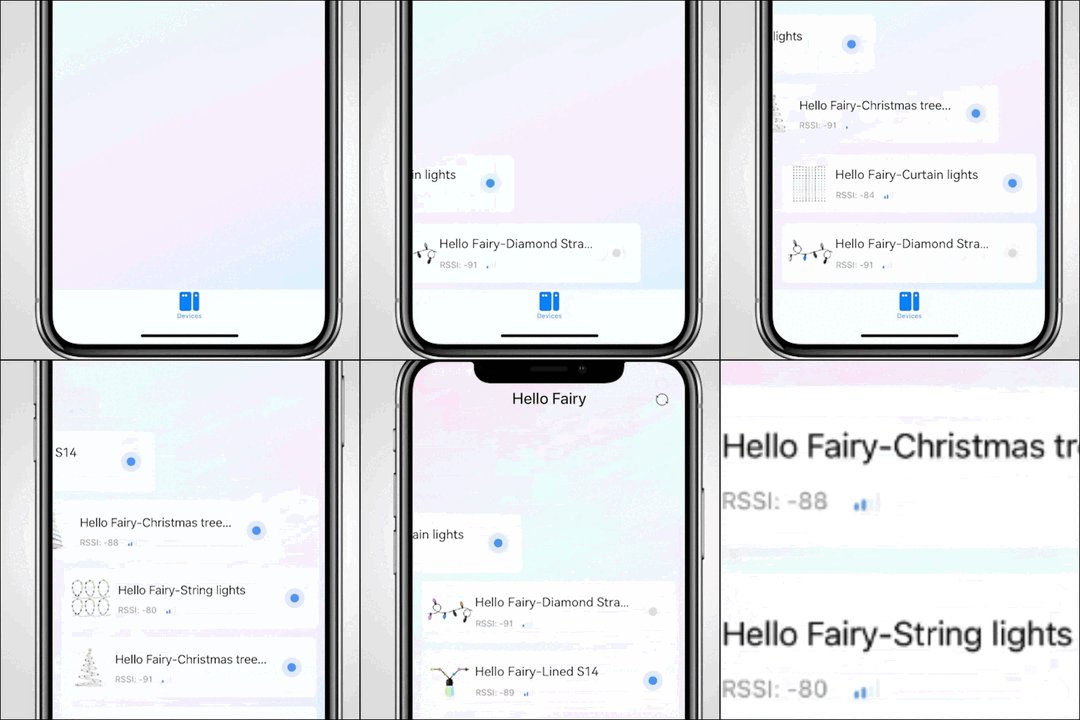
Connect your phone
Bluetooth Low Energy (BLE) lets your Magic Light Kit communicate directly with your phone through Bluetooth. No Wi-Fi is required.
Power on the Magic Light Kit.
Turn on Bluetooth on the phone.
Open the compatible app.
Search for the light device.
Select the device when it appears.
Enter the control interface.
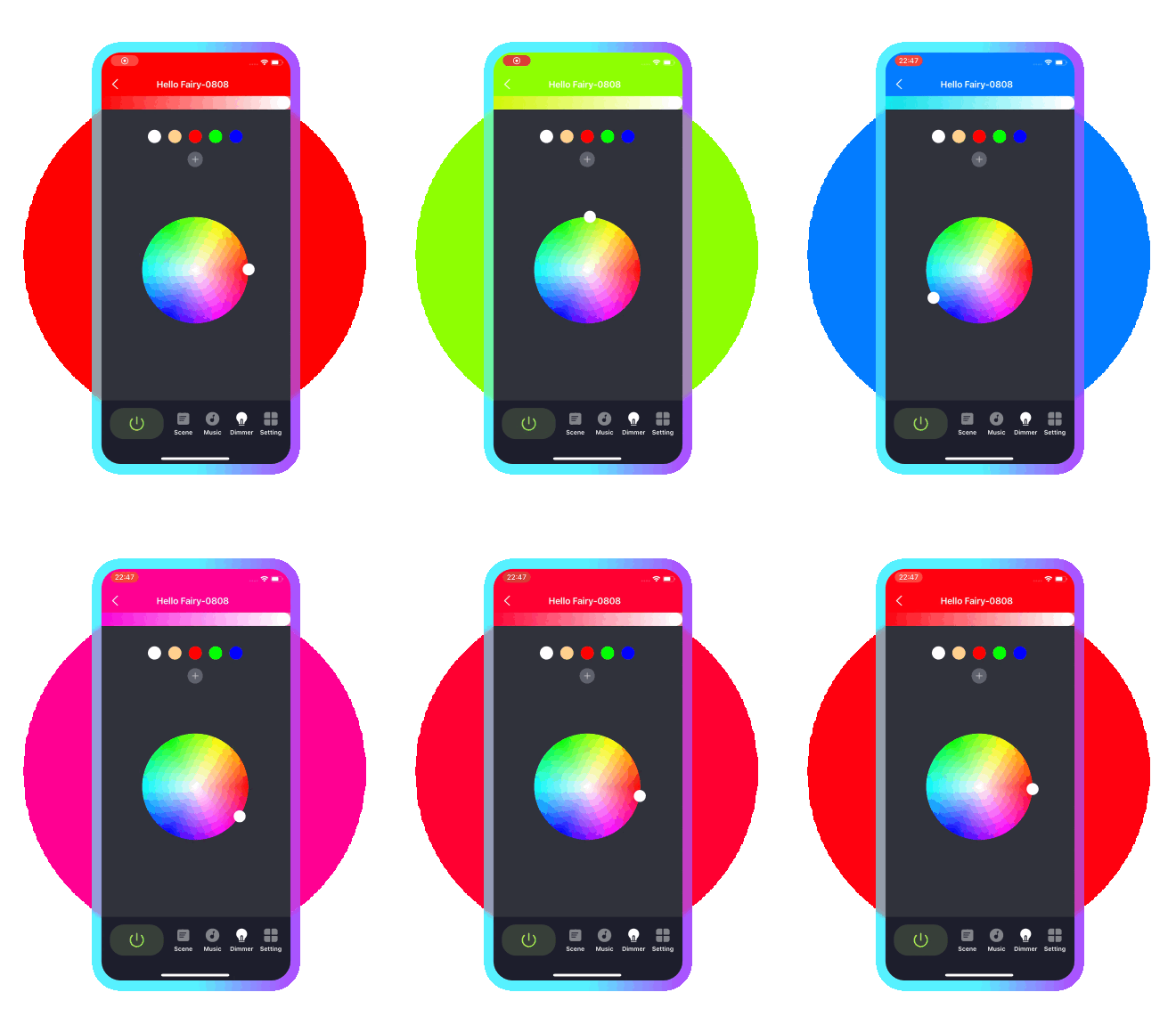
Choose your colors
Change the look of your tree without changing the bulbs.
A color picker lets you set the tree to the color you want, then fine tune it.
Brightness is adjustable from the app. It is the same whole tree brightness the remote controls, not a per bulb setting.
The bulbs stay clear because the LED makes the color, so nothing needs swapping out.
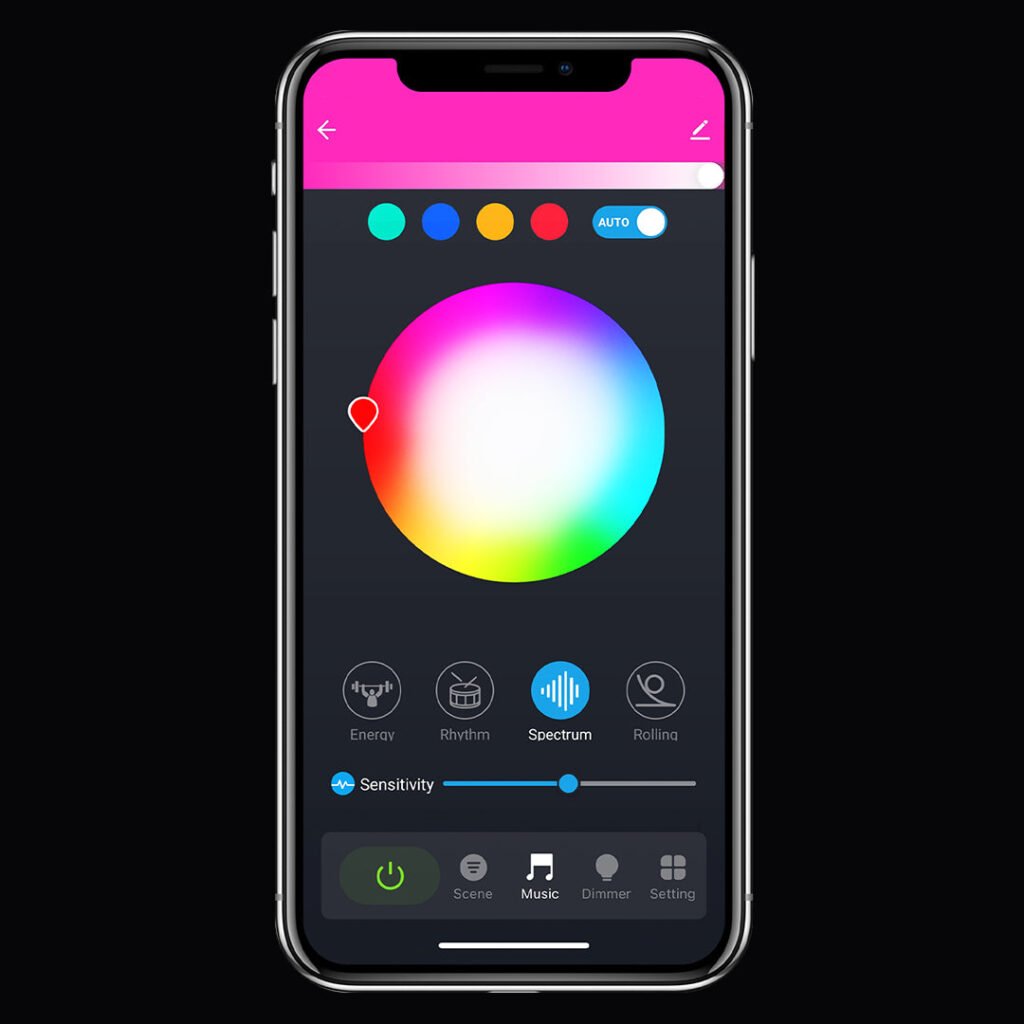
Lights that move with the music
Music-reactive modes allow the lights to respond to nearby sound and rhythm.
Four music modes: Energy, Rhythm, Spectrum and Rolling.
A sensitivity slider tunes how strongly the tree reacts, so quieter music still registers.
How closely the lights track a song depends on the room, the volume and background noise. Expect the tree to respond to music rather than match it perfectly.
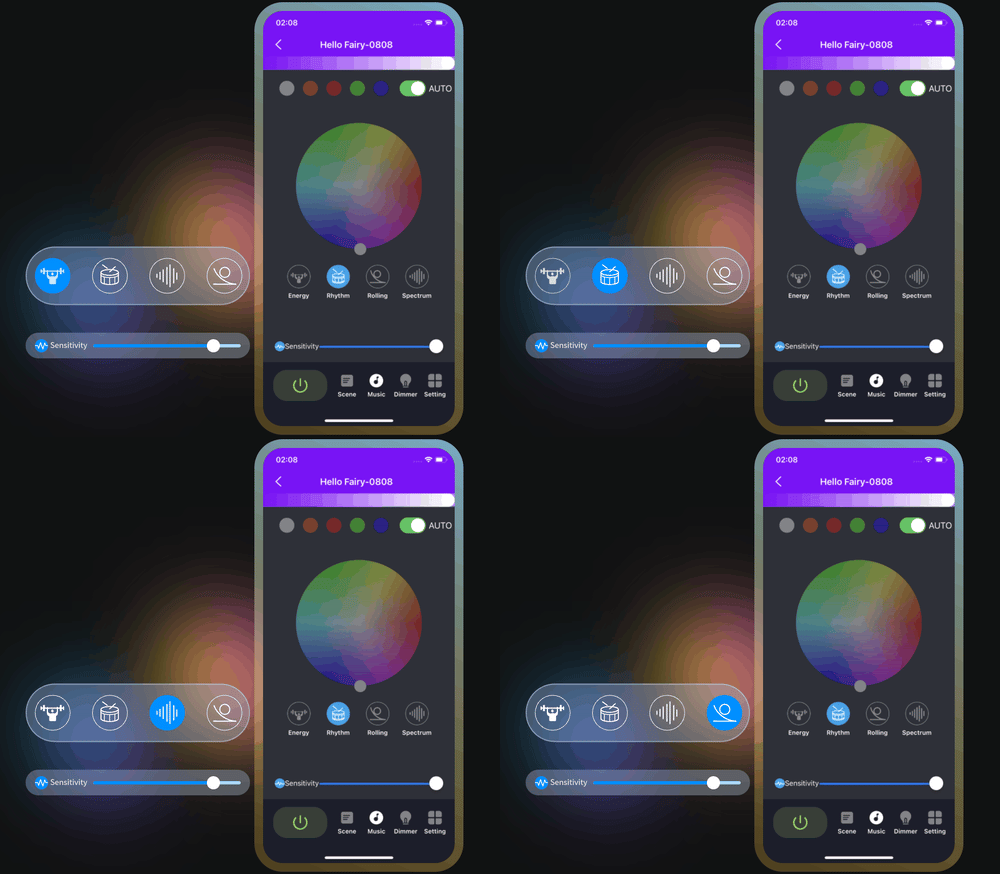
Music mode in action
The tree steps through colors in time with whatever is playing, and the sensitivity slider decides how much movement you get.
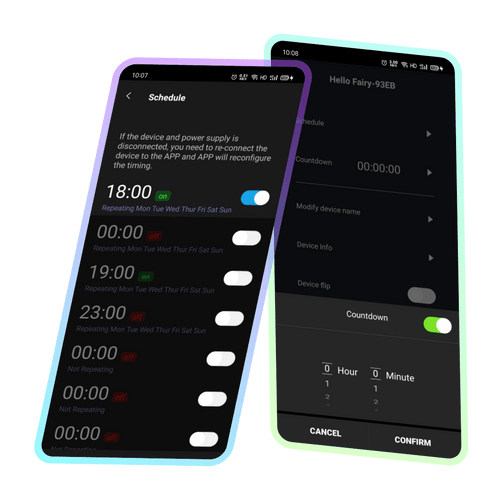
Timer and countdown
Set times for the lights to switch themselves on and off.
Choose how long the tree stays lit and the app turns it off when the time runs out.
If the lights lose power, reconnect in the app so the schedule can be set again.
More than one color at a time
A basic RGB string shows one color at a time across the whole string. This one has a control chip built into the string, which is what lets different parts of the tree hold different colors at once. You choose colors for 25 positions and the design repeats five times from the plug to the star.
Control chip
Magic Light Kit has a built in IC. A basic RGB string has none, which is why it can only show one color at a time.
Colors on the tree
Several colors run across the string at once instead of a single color everywhere.
Lighting effects
More dynamic effects and patterns than a basic string, which is limited to simple fades and flashes.
Custom patterns
Build your own patterns, animations and effects in the app. A basic RGB string does not support this.
Music
Sensitivity is adjustable, so quiet music registers too. A basic string only reacts to strong beats.
Phone connection
Connects over Bluetooth Low Energy to a compatible app. A basic RGB string has no app connection at all.
Change the look without touching a bulb
The light string itself provides 20 dynamic effects and 5 fixed scene modes, with automatic scene cycling and adjustable speed and direction.
The app adds custom colors and finer control over speed and sensitivity than the remote alone.
Brightness is set for the whole tree, not per bulb.
About the app
Magic Light Kit works with a compatible third party lighting app. The QR codes on your box link to the right download for your phone, where it is listed as Hello Fairy. We point you to an existing app rather than building our own, and the app that pairs with your kit can change if we change LED suppliers.
Third-party app names and trademarks belong to their respective owners. Magic Light Kit is not affiliated with or endorsed by the third-party app developer. App functionality may vary by app version, phone and connected light string.