
USB Button Guide
Quick control right from your light string.
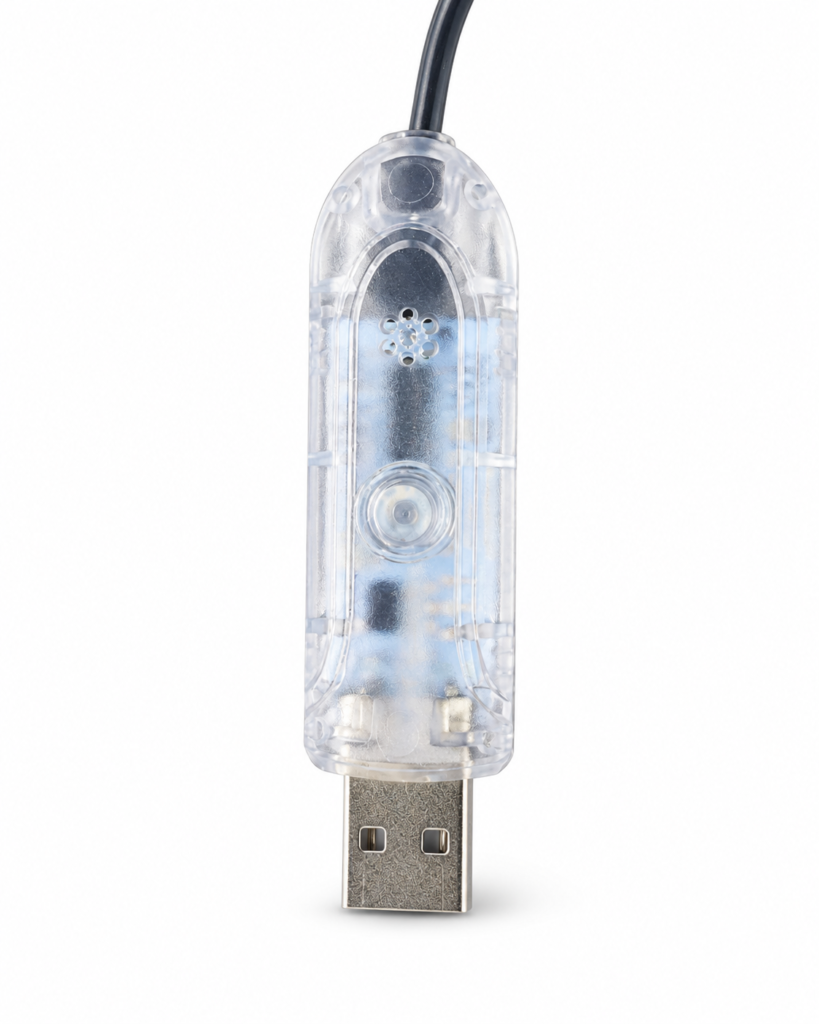
Before you start
The controller is built into the USB end of the light string, between the plug and the first LED. The round button in the middle is the control button.
It needs USB power, so plug it into a USB power cube or a power bank first. Neither is included in the box.
The button works on its own. You do not need the remote or your phone to use it.
The remote, USB controller button, and compatible app can all control the same Magic Light Kit light string.
Double-click
Quickly double-click the button to turn the string lights on or off.
Hold 3 seconds
Press and hold the button for about 3 seconds to move between Colored Light Mode, Music Mode and Scene Mode.
Press once to step through
Colored Light
Next color. Keep pressing to cycle through the available colors.
Music Mode
Next music mode. Keep pressing to cycle through the available modes, and after the last one it loops back to the first.
Scene Mode
Next scene. Keep pressing to cycle through the available scenes, and after the last one it loops back to the beginning.
Four ways to control your tree
The USB button gives you quick physical control from the string itself. The remote is convenient handheld control. The app adds further controls and customization from a compatible smartphone. They do not all offer the same features.