
Every button, explained.
The same guide printed on the card in your box. Zoom in on the diagram, or use the button reference underneath.
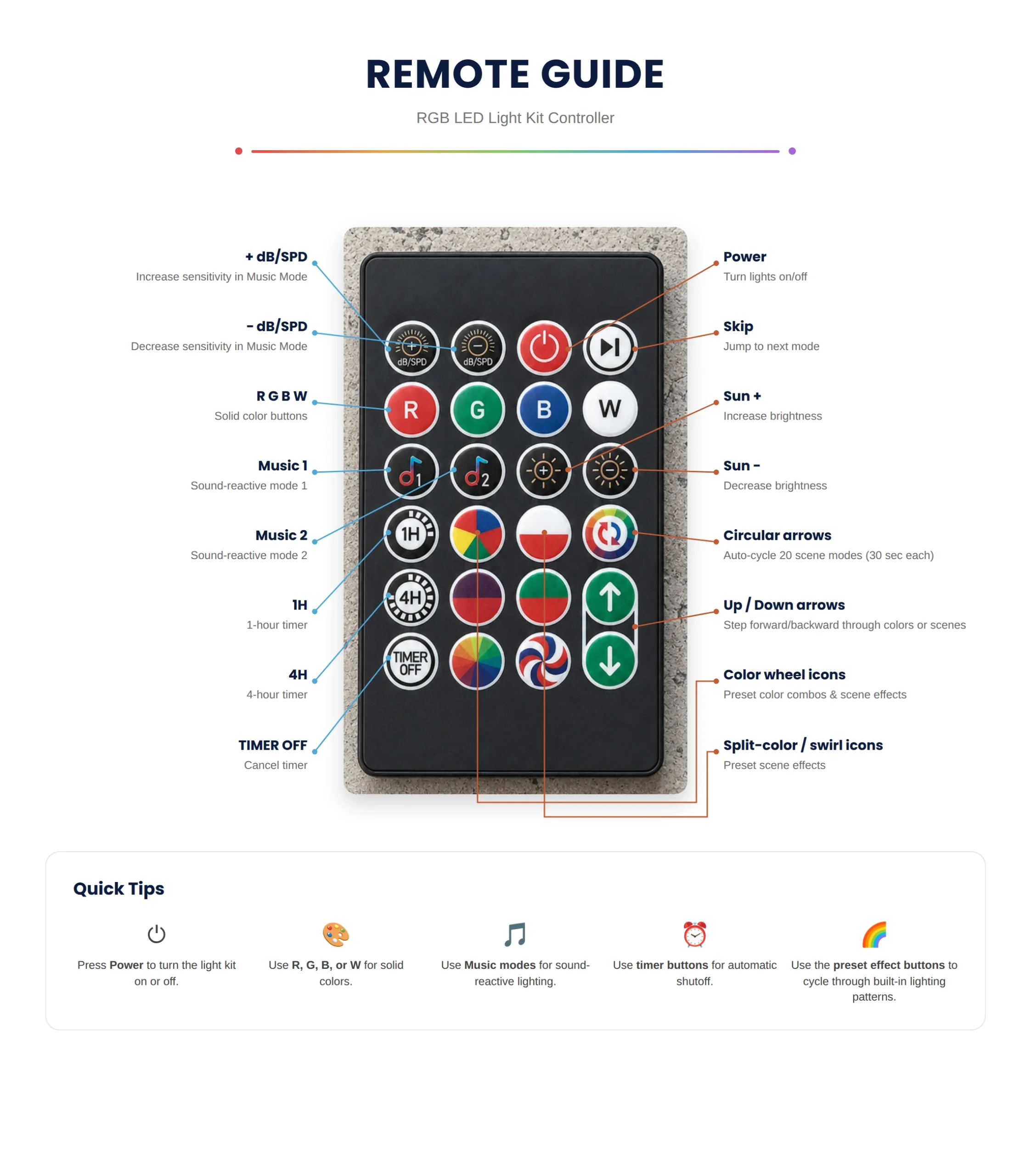 Tap the diagram to open it full size.
Before you press anything
It is an infrared remote, so point it at the controller on the string. It will not work through a wall or from another room.
It needs one CR2025 coin battery, which is not in the box.
The remote, USB controller button, and compatible app can all control the same Magic Light Kit light string.
Brightness applies to the whole tree. No button dims a single bulb.
What each key does.
Power and basics
The red circle turns the string on and off. It remembers the last color and effect you were using.
Freezes a moving effect on the frame it is showing, then starts it again. Useful for finding a still color you like.
Colors
Sets the whole tree to solid red, green, blue, or white in one press.
Preset color effects. One press loads a ready-made color set across the string.
Brightness
Brightness up and down for the whole tree.
Music
Two music reactive modes. The tree responds to nearby sound and rhythm. Use dB to tune how touchy it is.
Speed and sensitivity
Two jobs in one pair. In a music mode they set sensitivity. In an effect they set the speed it runs at.
Effects and scenes
Preset scene modes. These are the fixed scenes, separate from the color wheel effects.
Auto cycle mode. The tree moves through scenes on its own without you pressing anything.
Change mode selection. Steps forward and back through the modes.
Timers
Sleep timers. The string shuts itself off after one hour or four hours.
Cancels the timer you set and leaves the tree lit until you turn it off yourself.
Want More Control?
Use the app to explore additional colors, scenes, music-reactive effects, timing controls, and more.